Hardware-in-the-Loop Test Bench

SmartWheels Mini HIL Studio

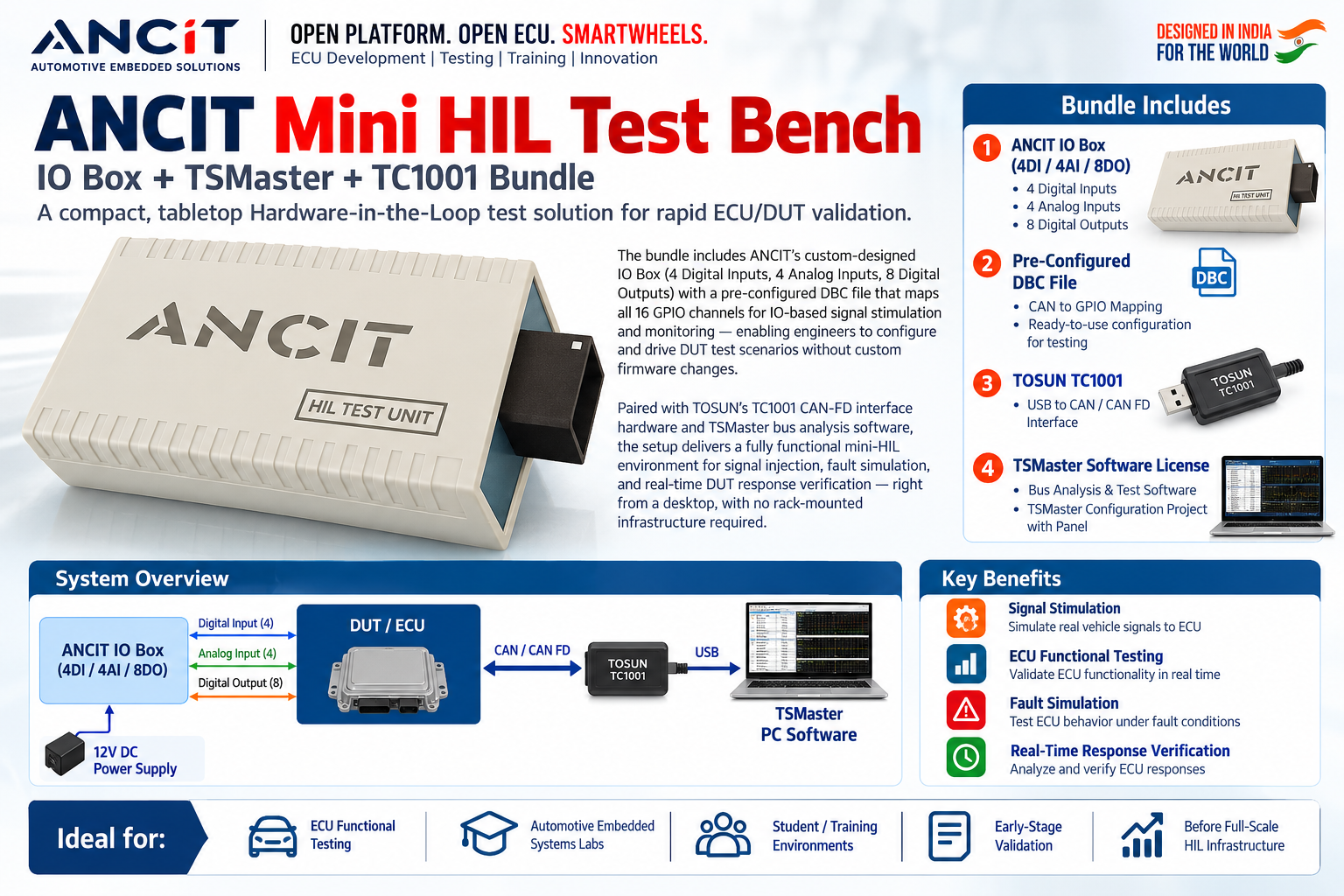
A compact, tabletop HIL test solution — ANCIT IO Box + TOSUN TC1001 + TSMaster bundled into one ready-to-run kit for rapid ECU/DUT validation. No rack. No lab. Full HIL on your desktop.

4DI / 4AI / 8DO  |  CAN / CAN FD  |  Signal Stimulation  |  Fault Simulation  |  Real-Time Verification
Request a Quote What's Included
Product Overview

Everything in one glance — hardware, connectivity, and the ECU validation use-case it solves.

SmartWheels Mini HIL Studio — Compact HIL Test Bench for ECU Validation

Bundle Includes

Four components. One complete HIL environment — shipped and ready to connect.

1
ANCIT Hardware
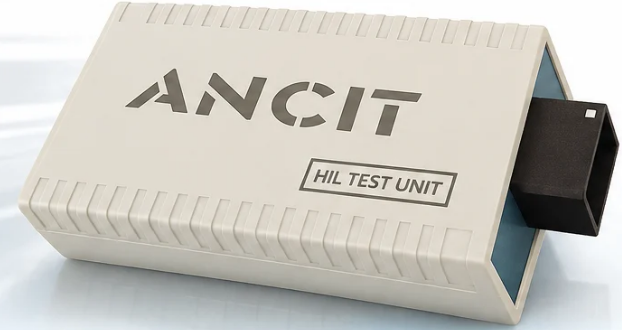
ANCIT IO Box
  • 4 Digital Inputs (4DI)
  • 4 Analog Inputs (4AI)
  • 8 Digital Outputs (8DO)
  • 16 GPIO Channels total
  • 12V DC powered
2
Pre-Configured
DBC File
  • CAN to GPIO mapping
  • All 16 channels mapped
  • IO-based signal stimulation
  • Monitoring ready
  • No firmware changes needed
3
TOSUN Hardware
TOSUN TC1001
  • USB to CAN interface
  • CAN FD supported
  • Plug-and-play with TSMaster
  • Compact dongle form-factor
4
TOSUN Software
TSMaster License
  • Bus analysis & test software
  • Pre-built configuration project
  • Panel UI included
  • Signal stimulation scripting

System Overview

Four components work together as a single, cohesive HIL environment on your desktop.

Signal Flow
ANCIT IO Box
4DI / 4AI / 8DO
12V DC Power
Digital &
Analog I/O
DUT / ECU
Device Under Test
CAN /
CAN FD
TOSUN TC1001
CAN FD Interface
USB
TSMaster
PC Analysis & Test Software
Signal stimulation via 4DI/4AI drives DUT inputs
DUT CAN responses captured via TC1001 over USB
TSMaster panel visualises and automates the full test loop

Key Benefits

The Mini HIL Studio delivers a complete ECU validation workflow in a form-factor small enough to sit on an engineer's desk — with no rack-mounted infrastructure, no custom firmware, and no integration work.

Designed in India for the World
ANCIT's IO Box maps all 16 GPIO channels through a pre-configured DBC file — engineers configure and drive DUT test scenarios immediately, without writing a single line of firmware.
Signal Stimulation

Simulate real vehicle signals to the ECU via digital and analog I/O — replicate sensors, switches, and actuator feedback without a physical vehicle.

ECU Functional Testing

Validate ECU logic in real time — drive inputs, observe CAN outputs, and verify correct DUT behaviour against expected responses.

Fault Simulation

Inject fault conditions through the IO Box and observe ECU diagnostic responses — test fault detection, DTC logging, and safe-state handling.

Real-Time Response Verification

TSMaster captures and visualises every CAN frame in real time — correlate stimuli to ECU responses and build repeatable automated test sequences.

Ideal For

From training labs to early-stage validation — the Mini HIL Studio fits every stage before full-scale HIL infrastructure.

ECU Functional Testing Automotive Embedded Systems Labs Student & Training Environments Early-Stage ECU Validation Before Full-Scale HIL Infrastructure Corporate R&D Desks
Quick Spec Reference
IO Box Inputs4 Digital Inputs (DI), 4 Analog Inputs (AI)
IO Box Outputs8 Digital Outputs (DO)
Total GPIO Channels16 (all mapped via pre-configured DBC)
Power Supply12V DC (external)
CAN InterfaceTOSUN TC1001 — USB to CAN / CAN FD
PC SoftwareTSMaster (Bus Analysis + Test Automation)
ConfigurationPre-built DBC + TSMaster Project with Panel
Custom Firmware RequiredNo — ready to use out of the box
Infrastructure NeededNone — desktop / tabletop form factor
Explore Related Products
SmartWheels OBDSim SmartWheels Mini ECU TSMaster — CAN Analysis CAR in a Box SDV CoE Lab Setup

Full HIL validation on your desk — no rack required.

The SmartWheels Mini HIL Studio brings production-grade ECU test capability to any lab bench, classroom, or R&D desk — out of the box, day one.

Request a Demo / Quote View SDV CoE Lab Setup